



Download AbiWord Portable – Free, Secure, Lightweight Word Processor for Windows, Mac & Android
Why AbiWord Portable is a Game-Changer for On-the-Go Document Editing
If you're tired of relying on expensive office suites like Microsoft Word, AbiWord Portable offers a compelling alternative that doesn't compromise on functionality. Designed for users who need a reliable word processor without the bulk, this portable version allows you to carry your entire document editing toolkit in your pocket—literally. Simply plug a USB drive into any computer, launch AbiWord, and start working instantly.
Whether you're a student, freelancer, or professional on the move, this lightweight software ensures you're never without access to your documents. With full support for standard file formats such as DOC, DOCX, RTF, HTML, and even legacy WordPerfect files, AbiWord ensures compatibility across platforms and software ecosystems. It’s ideal for those working on older systems or machines with limited processing power, as it consumes minimal RAM and CPU resources—often less than a basic text editor.
The latest update fixes critical bugs, including a regression in character property preservation and a font size reset issue that plagued version 2.8.5. These improvements make the editing experience smoother and more predictable. What sets AbiWord apart is its modular design: users can extend its capabilities with a variety of plugins, including format converters, thesauruses, image importers, and text formatters.
This level of customization is rare in lightweight tools, making AbiWord a surprisingly powerful choice for everyday word processing. Whether you're drafting a letter, writing a report, or editing web content, AbiWord Portable delivers a fast, secure, and efficient experience.
Powerful Features That Make AbiWord a Top-Rated Free Alternative
AbiWord Portable isn’t just a basic text editor—it’s a fully-featured word processor built for real-world use. One of its standout features is its broad file format compatibility. It can read and write DOC, DOCX, RTF, HTML, and even WordPerfect documents, ensuring seamless collaboration with users across different platforms and software versions.
This is especially valuable in educational and professional environments where document sharing is frequent. The software also supports advanced formatting options like tables, headers, footers, and bullet points, making it suitable for creating structured reports and presentations. Another major advantage is its minimal system footprint.
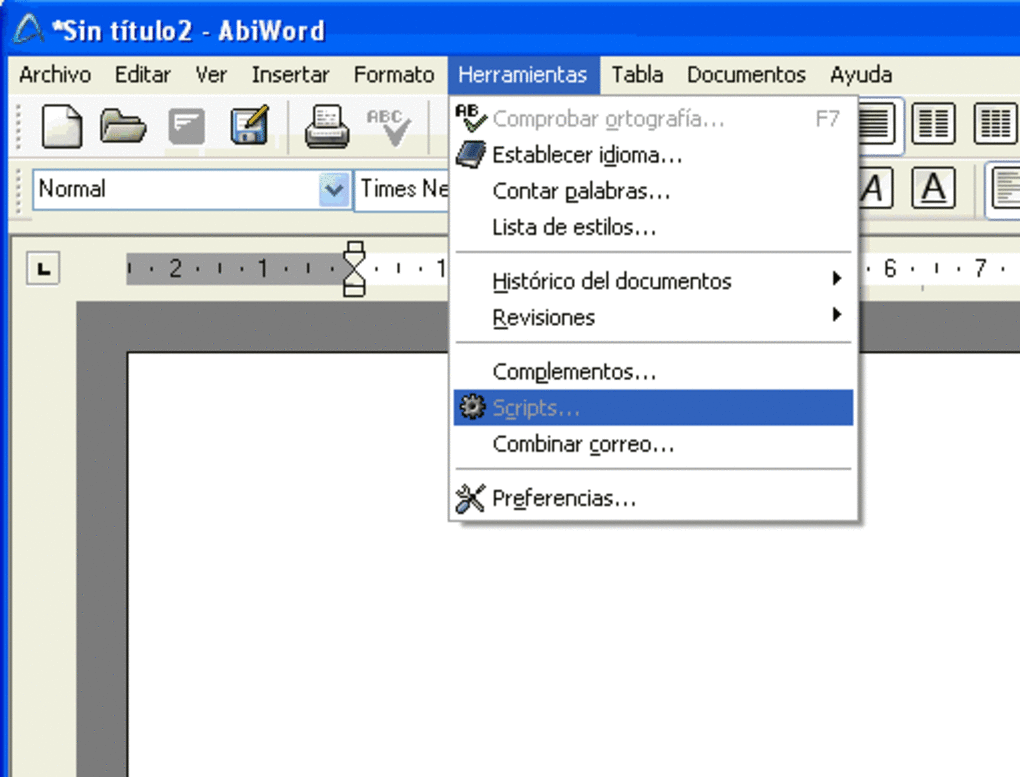
Unlike heavy office suites that slow down older computers, AbiWord runs smoothly on low-spec machines, making it perfect for schools, libraries, or users with outdated hardware. Its intuitive interface, while simple, is highly functional—menus are logically organized, and common tasks like saving, printing, and formatting are just a few clicks away. The latest version includes critical bug fixes, such as restoring proper character property handling during typing and resolving the font size reset issue that affected earlier releases.
These updates enhance stability and user experience. Additionally, AbiWord supports customizable toolbars and keyboard shortcuts, allowing users to tailor the workspace to their workflow. For those who need to integrate external tools, the plugin system is a game-changer.
You can install add-ons for spell-checking, document conversion, image embedding, and more. Whether you're working on a budget laptop or a public computer at a library, AbiWord Portable delivers a reliable, secure, and efficient word processing experience—without the need for installation.
- Support for DOC, DOCX, RTF, HTML, and WordPerfect files
- Lightweight with minimal system resource usage
- Portable—run from USB drive with no installation
- Customizable interface and keyboard shortcuts
- Extensible via plugins for spell-check, image import, and format conversion
- Regular updates with bug fixes and performance improvements
Easy Installation, Seamless Usage Across Windows, Mac, and Mobile Devices
One of the biggest advantages of AbiWord Portable is its plug-and-play simplicity. There’s no need to install software on your computer—just download the portable package, extract it to a USB drive or external storage, and launch the application from any Windows, Mac, or even Android device with a compatible file manager. This makes it ideal for users who frequently switch between computers or work in shared environments like schools, offices, or internet cafes.
The installation process is entirely frictionless: no registry changes, no leftover files, and no risk of system conflicts. Once launched, AbiWord opens quickly and loads your documents without delay. The user interface is clean and straightforward, with familiar tools like bold, italic, alignment, and font selection readily accessible.
For first-time users, the learning curve is shallow—most features are self-explanatory. You can create, edit, and save documents in your preferred format with just a few clicks. The software also includes a built-in spell checker (with optional language packs), a document preview mode, and a print function that preserves formatting.
For those working on mobile devices, the Android version offers a streamlined but fully functional experience, allowing you to edit documents on the go. The latest update ensures stability and fixes known issues, such as font size resets and character formatting bugs. Whether you're using a Windows laptop, a Macbook, or a tablet, AbiWord Portable adapts seamlessly.
Its ability to run without installation makes it a go-to solution for temporary or restricted environments. Plus, because it’s open-source and free, you can use it legally on any device without licensing concerns.
Compatibility & System Requirements: Works on Windows, Mac, iOS, and Android
AbiWord Portable is designed with cross-platform compatibility in mind. It runs smoothly on Windows 7 and later, macOS 10.10 or higher, and Android 5.0 and above. This broad support ensures that whether you're using a desktop, laptop, or mobile device, you can access your documents without limitations.
The software is also compatible with iOS through third-party file managers, though native support is still limited. For users working on older systems, AbiWord is an excellent choice—its lightweight architecture means it performs well even on machines with 1GB of RAM or slower processors. This makes it perfect for educational institutions, public libraries, or remote work setups where high-end hardware isn’t available.
The portable version doesn’t require admin rights to run, which is a major benefit in restricted environments like school computer labs or corporate networks. All you need is a USB drive or cloud storage folder with the portable package. Because it’s open-source, AbiWord is regularly updated by a dedicated community of developers who prioritize security, stability, and performance.
The latest release includes fixes for critical bugs that affected document formatting and font handling, ensuring a consistent experience across devices. Whether you're writing a resume on a borrowed laptop or editing a report during a commute, AbiWord Portable adapts to your workflow. Its ability to handle industry-standard formats means you can collaborate with colleagues using Microsoft Word or Google Docs without compatibility issues.
With no installation required and support for multiple platforms, AbiWord Portable is the ultimate tool for users who value flexibility, security, and accessibility.
- Windows 7 and later
- macOS 10.10 or higher
- Android 5.0 and above
- Works on low-spec machines (1GB RAM, 1GHz CPU)
- No admin rights required
- Runs from USB, cloud, or external storage
Pros & Cons: Is AbiWord Portable Right for You?
Pros
- Free and open-source – No licensing fees or hidden costs.
- Lightweight and fast – Minimal system resource usage, ideal for older devices.
- Portable – no installation needed – Carry your documents and software on a USB drive.
- Supports multiple file formats – DOC, DOCX, RTF, HTML, and more.
- Extensible with plugins – Add spell checkers, converters, and image tools.
- Regular updates with bug fixes – Stable and secure performance.
Cons
- Limited advanced features – Not ideal for complex layouts or publishing.
- Basic interface – Lacks the polish of commercial software.
- Mobile version is simplified – Some features are missing on Android/iOS.
- Smaller user community – Fewer tutorials and third-party resources.
Frequently Asked Questions (FAQ)
Is AbiWord Portable really free to download and use?
Yes, AbiWord Portable is completely free and open-source. You can download, use, and distribute it without any licensing fees or restrictions. It’s ideal for students, educators, and professionals who need a reliable word processor without the cost of Microsoft Office.
Can I use AbiWord Portable on my Mac or Linux computer?
Yes, AbiWord Portable is compatible with macOS 10.10 and later. While there’s no official Linux version, the software can often run on Linux systems via compatibility layers or by using a portable package.
Does AbiWord support DOCX files?
Yes, AbiWord Portable can both read and write DOCX files, ensuring compatibility with modern Microsoft Word documents. It also supports RTF, HTML, and older WordPerfect formats.
Can I run AbiWord Portable from a USB drive?
Absolutely. That’s one of its main features—being fully portable. Just extract the files to a USB drive, plug it into any computer, and launch the app. No installation required.
Is AbiWord Portable secure to use on public computers?
Yes, AbiWord Portable is secure for public use. Since it runs from a USB drive and doesn’t install anything on the host machine, your documents and settings remain private and don’t leave traces on the computer.
Final Verdict: Why You Should Download AbiWord Portable Today
If you're searching for a free, secure, lightweight word processor that works across Windows, Mac, Android, and even public computers, AbiWord Portable is an excellent choice. Its ability to run without installation, support for multiple file formats, and minimal system requirements make it a must-have tool for students, freelancers, and professionals on the move. While it may lack some of the advanced features of Microsoft Word, it delivers everything you need for everyday document editing—fast, reliable, and without the cost.
The latest update addresses critical bugs, ensuring a smoother and more stable experience. Whether you're writing a report, editing a resume, or collaborating on a project, AbiWord Portable gives you the freedom to work anywhere, anytime. Don’t wait—download AbiWord Portable today and experience the power of portable, open-source word processing.
Review: TechReview Pro A lightweight, reliable, and free alternative to Microsoft Word. Perfect for portable use and low-spec machines. Minor interface limitations but excellent value.







